Today I came across another post by younger students venting about their courses, which motivated me to finally finish this long-shelved draft. I am starting this series with presentations and course projects, because things like these account for almost half the unpleasant parts of university life, right? Haha.
The short version
If you already have a decent computing background: install a local LaTeX compiler instead of relying on Overleaf. Have your agent write LaTeX and compile it into a 16:9 PDF with a command. Review the PDF directly and keep iterating with the agent until you are happy. If you really need a PowerPoint file, convert it at the end.
A small tip: presentation software can also display PDFs.
With all your materials ready and a clear outline, making a satisfactory presentation in ten minutes is quite achievable. See the screenshots at the end for an example.
Let us go straight to the workflow, then discuss a few ideas and tips.
What do you need to know?
- File formats: PPT and PDF.
- An agent: Codex, Claude Code, ds-cli, or WorkBuddy. Having used one is enough!
- The terminal: You only need a little familiarity. If you have none, spend an hour learning the basics. Trust me, it will pay off for a long time!
- Basic programming concepts: Be familiar with terms such as language, compilation, execution, commands, input, output, software, folders, and workspace.
- LaTeX: You do not need to know any syntax. Just understand that a compiler can turn LaTeX code into a PDF.
What should you do?
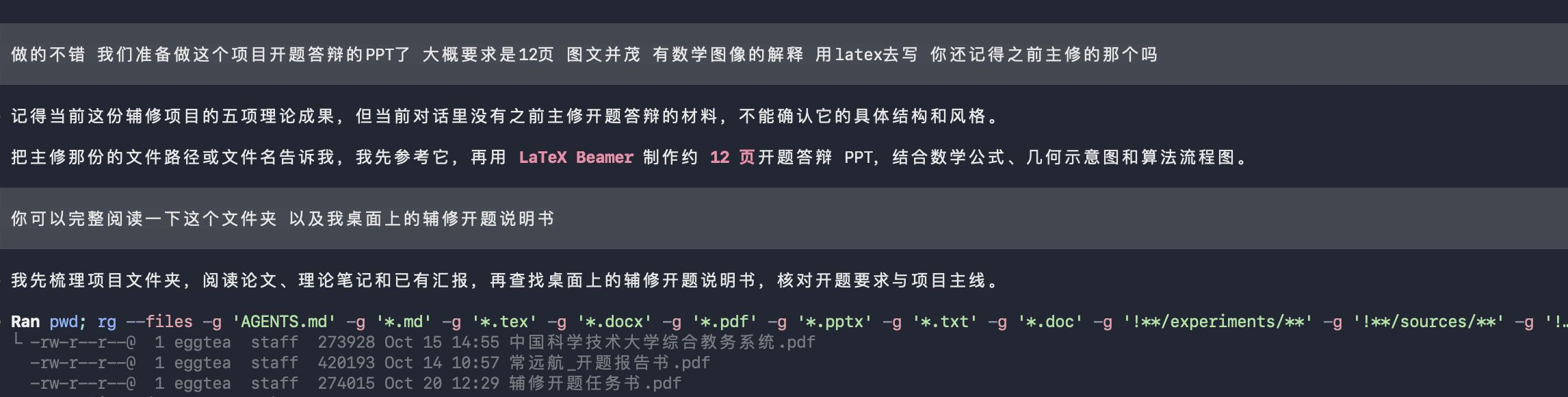
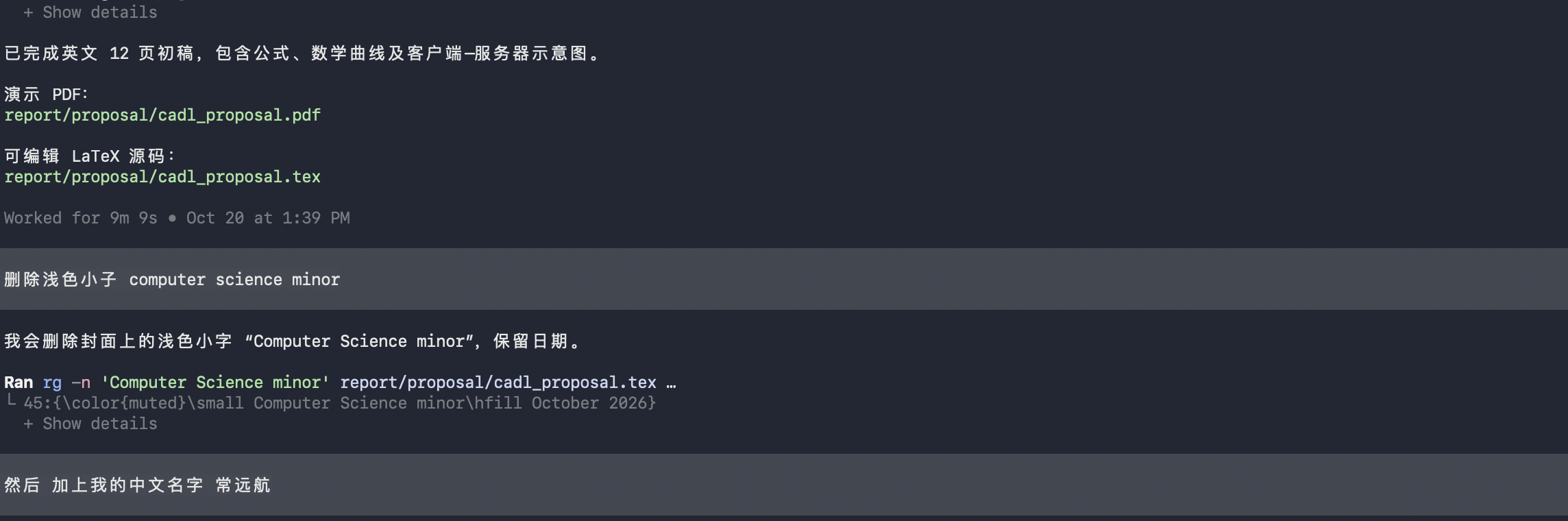
I will use the proposal-defense presentation for my computer science minor as an example. See the screenshots below.
Open your agent anywhere and ask it to install a local LaTeX compiler. You do not need a graphical application, just a compiler. I recommend Tectonic.
For example, on my computer it is installed at:
/Users/eggtea/.local/bin/tectonicThat essentially means it is available as a command on the computer.
First, I keep all the information about the project in one folder.
Open the agent in that folder (I use Codex), ask it to read the materials, and then have it write and compile LaTeX following your presentation outline. Tell it that you already have a local LaTeX compiler. You can also refer to the working preferences shown in the screenshots.
You should then find the final PDF at the appropriate path. If you are not satisfied, tell the agent which details to refine. A few iterations should get you there.
Tips
- What if the presentation needs animations? Notice that an animation can be unfolded into N static frames.
- I recommend dictating prompts with speech-to-text. It makes creating presentations much smoother. Try Wispr Flow or Typeless; I will cover this separately later in the series.
Workflow screenshots